Follow-up questions and the results column
In AI Mode you can keep asking: each new question is read with the conversation so far. Beside the chat, a News results column shows the site's own results for the question you just asked, so the articles are always one look away.
#Ask a follow-up
- After an answer, type in the box, which now reads Ask a follow-up…, and press Enter.
- Or select one of the questions under Ask next; it is sent as your next message.
- The new answer appears under the previous one, labelled Answer 2 of 10, and so on.
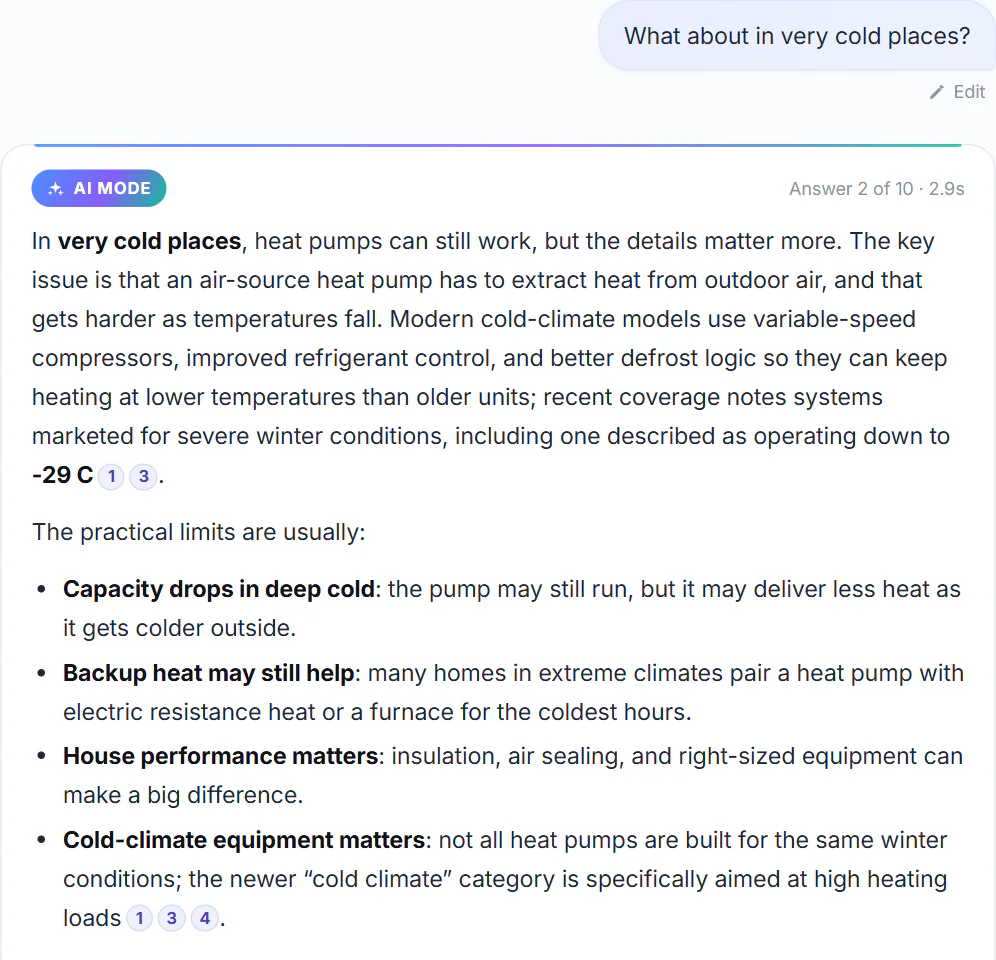
A short follow-up, What about in very cold places?, answered in the context of the first question.
- 1Your follow-up, which leans on the first question
- 2Answer 2 of 10
- 3Citations to the articles it read
#How each question is searched
Before every answer AI Mode runs a News search, and that search decides which articles the answer reads.
- A question that stands on its own is searched as you wrote it:
How do heat pumps work in cold weather? - A short follow-up, or one that leans on the last question ("what about...", "and their cost?", "why is it...") is searched together with the main words of your previous question.
What about in very cold places?after the heat pump question was searched as "heat pumps work weather cold places". - Small talk such as "thanks" is not searched at all.
The line under the column's title tells you exactly what was searched:
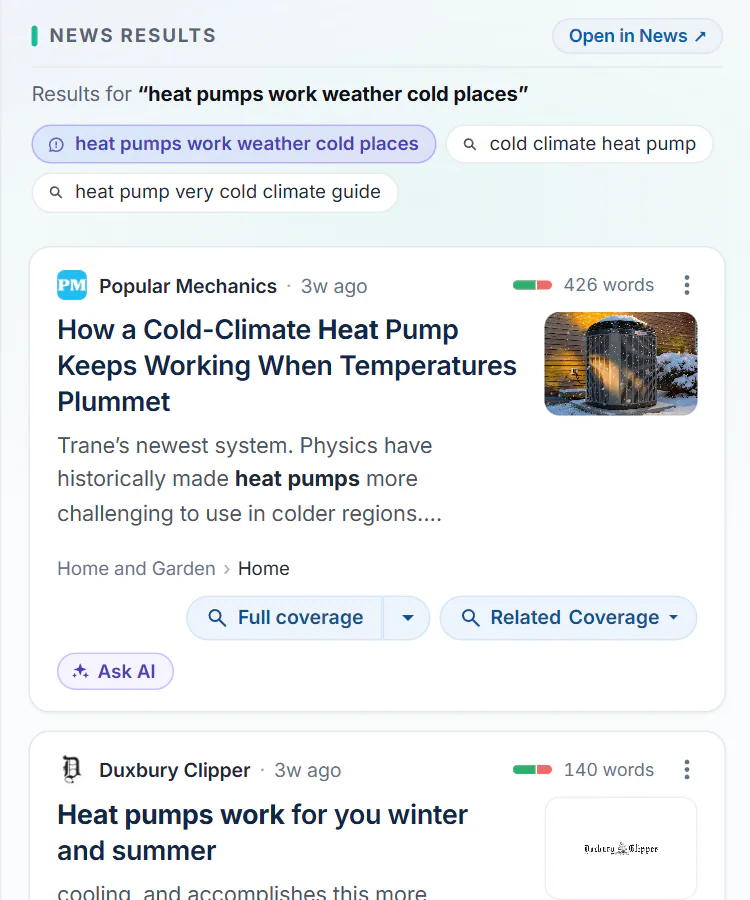
After the follow-up, the column shows the search that combined both questions, and the other searches from this chat.
- 1What was searched: words from both questions
- 2The searches from this chat
#The results column
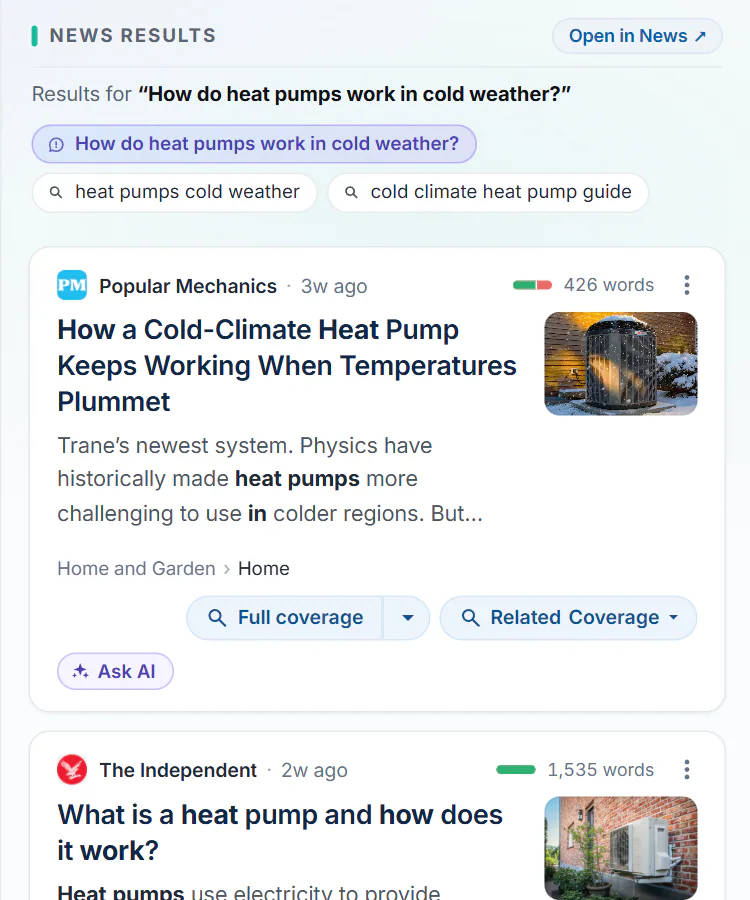
The column beside the chat after the first question.
- 1News results
- 2Open the same search on the News page
- 3What was searched
- 4The searches from this chat: select one to see its results
- 5Ask AI about this story
- News results are the same cards as on the News tab, with Full coverage and the other buttons. Each card also has Ask AI, which asks AI Mode about that story.
- Open in News opens the same search on the full News page, with its filters and more pages of results.
- The line under the title says what is shown: the latest news before you ask, "Results for" your search after.
- The searches from this chat appear as a row of buttons when there is more than one: the search for your last question, and the searches the answer recommends. Select one to show its results.
- Under the results, Search ... on offers the same words on News, Web and Shopping.
When you select a News link inside an answer, its results open in this column rather than taking you away: the link carries a small column icon, the column flashes, and a note points to it. To open such a link in a new tab instead, hold Ctrl (or Cmd on a Mac) while you select it.
#Common questions
Does AI Mode remember what I said earlier?
Yes, within the chat. Each new message is sent with the earlier messages of the same chat, so you can refer to them. A new chat starts with no memory.
Why did my follow-up get different sources from the first answer?
Every message runs its own search. A follow-up's search adds its own words to the earlier ones, so it can find other articles. Each answer lists its own sources.
Can I make the column show a different search?
Yes. Select one of the searches in the row above the results, select a News link in an answer, or use Ask AI on a card.